
Expertise Catalog
The expertise catalog is a workspace-wide definition of what skills and seniority levels your organization tracks. It serves as the foundation for member expertise assignments, position requirements, and intelligent assignee suggestions.
Expertise categories
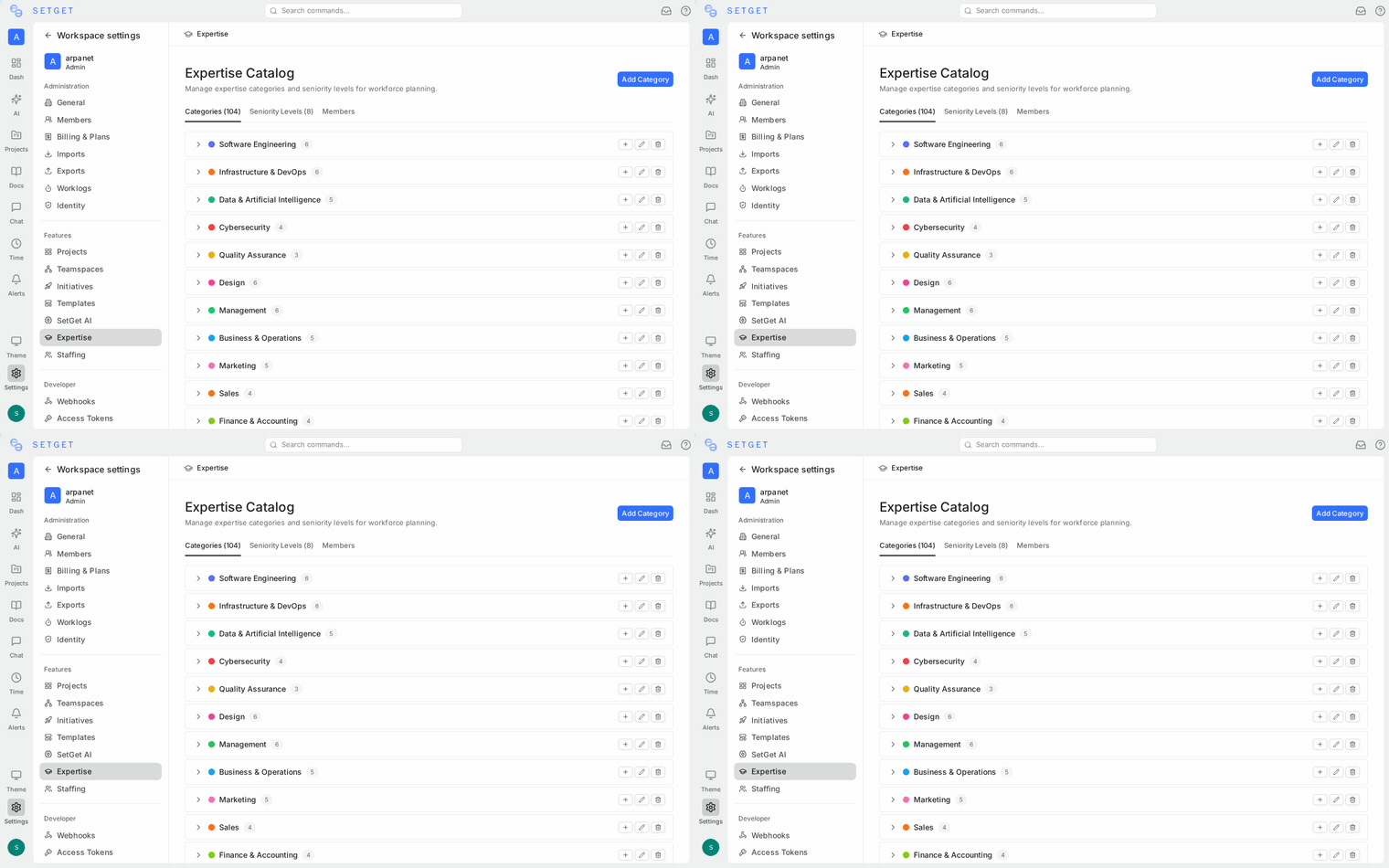
Expertise categories represent the skills, technologies, and knowledge areas relevant to your organization. Categories are organized in a hierarchical tree structure, allowing you to group related skills under parent categories.
Default categories
When you first set up a workspace, SetGet seeds 16 parent categories with over 60 subcategories covering common software development areas:
| Parent Category | Example Subcategories |
|---|---|
| Frontend | React, Vue, Angular, TypeScript, CSS |
| Backend | Go, Node.js, Python, Java, REST APIs |
| Database | MongoDB, PostgreSQL, Redis, Elasticsearch |
| DevOps | CI/CD, Kubernetes, Terraform, Monitoring |
| Mobile | iOS, Android, React Native, Flutter |
| Design | UI Design, UX Research, Figma, Prototyping |
| QA | Manual Testing, Automation, Performance, Security |
| Data | Analytics, Machine Learning, Data Engineering |
| Security | Application Security, Network Security, Compliance |
| Product | Product Management, Business Analysis, Scoping |
| Leadership | Team Lead, Engineering Manager, Architecture |
| Communication | Technical Writing, Documentation, Presentations |
You can customize these defaults or create entirely new categories specific to your organization.
Create a category
- Navigate to Workspace Settings → Expertise.
- On the Categories tab, click Add Category.
- Fill in the category details:
| Field | Required | Description |
|---|---|---|
| Name | Yes | A descriptive name for the skill area (e.g., "React", "Go", "UI Design") |
| Description | No | Additional context about what this expertise entails |
| Color | No | A color used to visually identify the category in badges and indicators |
| Parent | No | Select a parent category to create a subcategory |
- Click Create to save.
Edit or delete a category
- Edit — Click the pencil icon next to any category to update its name, description, color, or parent.
- Delete — Click the trash icon to remove a category. If the category is currently assigned to members or positions, it will be archived instead of permanently deleted to preserve historical data.
WARNING
Deleting a category that is referenced by member expertise records or positions will archive it rather than remove it. This ensures existing data remains consistent.
Hierarchical organization
Categories support one level of nesting. A parent category groups related subcategories:
Frontend (parent)
├── React
├── Vue
├── Angular
└── TypeScript

Backend (parent)
├── Go
├── Node.js
└── Python
When matching expertise to issue labels for suggestions, both parent and child category names are considered.
Seniority levels
Seniority levels define the proficiency scale used when assigning expertise to members. Each level has a name and a numeric rank that determines ordering.
Default levels
SetGet seeds eight default seniority levels:
| Rank | Level Name | Description |
|---|---|---|
| 1 | Intern | Entry-level, learning the basics |
| 2 | Junior | Building foundational skills with guidance |
| 3 | Mid-Level | Independently productive in the skill area |
| 4 | Senior | Deep expertise, mentors others |
| 5 | Staff | Cross-team technical leadership |
| 6 | Principal | Organization-wide technical authority |
| 7 | Architect | System-level design and strategy |
| 8 | Director | Strategic direction and team leadership |
Create a level
- Navigate to Workspace Settings → Expertise.
- Switch to the Levels tab.
- Click Add Level.
- Enter the level name and rank (numeric order).
- Click Create.
Edit or delete a level
- Edit — Click a level to update its name or rank.
- Delete — Click the trash icon to remove the level. Levels assigned to member expertise records cannot be deleted until those assignments are updated.
TIP
Keep your seniority levels consistent across the organization. When the expertise-based suggestion engine ranks candidates, it uses the level rank to prefer higher-proficiency members for critical work items.
How the catalog powers other features
| Feature | How it uses the catalog |
|---|---|
| Member Expertise | Members are assigned expertise using categories and levels from the catalog |
| Project Positions | Positions can require a specific expertise category and minimum seniority level |
| Assignee Suggestions | Issue labels are matched against category names to find qualified members |
| Capacity Planning | Workload analysis considers expertise when recommending workload redistribution |
Related pages
- Member Expertise — Assign expertise to team members
- Project Positions — Define staffing requirements
- Issue Integration — How expertise powers assignee suggestions