
General Settings
The General Settings page in the Admin Panel lets you configure your SetGet instance's identity, branding, and global preferences. These settings affect every user and workspace on the platform.
Navigate to Admin Panel > General Settings or go directly to /backoffice/settings/general.
Instance identity
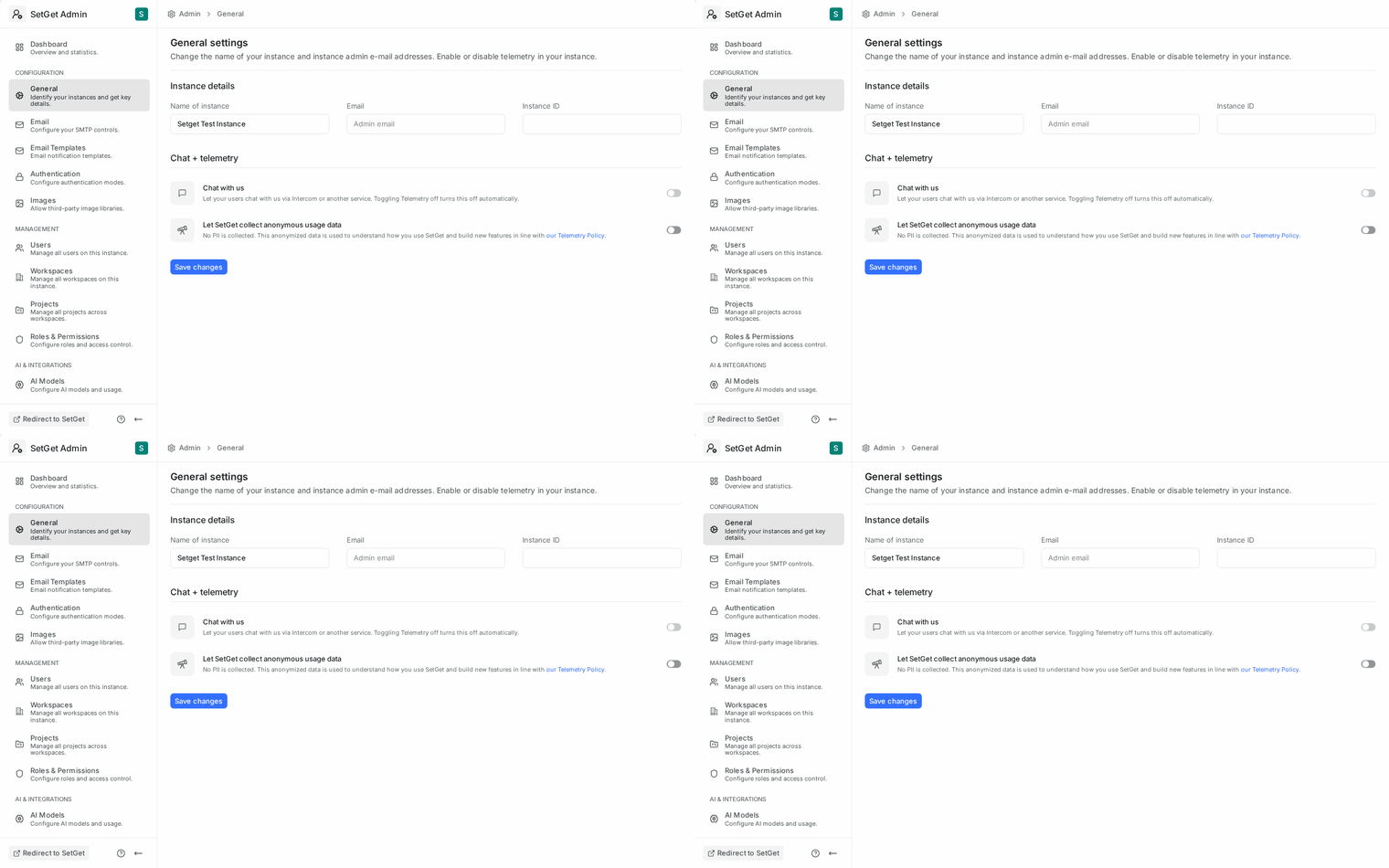
Instance name
The instance name is displayed in browser tabs, email subject lines, and the login page header. Choose a name that identifies your organization or deployment.
| Property | Details |
|---|---|
| Field | Instance Name |
| Default | SetGet |
| Max length | 100 characters |
| Where it appears | Browser tab title, email headers, login page, sidebar |
Instance URL
The canonical URL of your SetGet deployment. This value is used to generate links in emails, API responses, and OAuth callback URLs.
| Property | Details |
|---|---|
| Field | Instance URL |
| Format | Full URL with protocol (e.g., https://setget.example.com) |
| Important | Must match the actual URL users access. Mismatched URLs break email links and OAuth flows. |
WARNING
Changing the instance URL after deployment affects all existing email links and OAuth provider configurations. Update OAuth callback URLs at each provider when changing this value.
Instance description
A short description of your instance, shown on the login page below the instance name. Use it to communicate the purpose of the deployment or your organization's tagline.
| Property | Details |
|---|---|
| Field | Instance Description |
| Default | Empty |
| Max length | 300 characters |
Branding
Logo
Upload a custom logo that replaces the default SetGet logo throughout the application.
| Property | Details |
|---|---|
| Recommended size | 200 x 40 px (landscape orientation) |
| Supported formats | PNG, SVG, JPEG |
| Max file size | 2 MB |
| Where it appears | Login page, sidebar header, email headers |
To upload a logo:
- Click Upload Logo on the General Settings page.
- Select your image file.
- Preview the logo in the sidebar and login page mockups.
- Click Save to apply.
To remove a custom logo and revert to the default, click Reset to Default.
Favicon
Upload a custom favicon for browser tabs and bookmarks.
| Property | Details |
|---|---|
| Recommended size | 32 x 32 px or 64 x 64 px |
| Supported formats | PNG, ICO, SVG |
| Max file size | 512 KB |
Brand colors
Customize the primary accent color used across the interface. This affects buttons, links, active states, and other UI elements.
| Setting | Description | Default |
|---|---|---|
| Primary color | Main accent color (hex code) | #3F76FF |
| Light variant | Automatically derived from primary | Auto |
| Dark variant | Automatically derived from primary | Auto |
TIP
Choose a color with sufficient contrast against white backgrounds to maintain accessibility. Tools like the WebAIM Contrast Checker can help verify WCAG compliance.
Default timezone
Set the default timezone for the instance. This timezone is used for:
- Displaying timestamps when a user has not set a personal timezone.
- Scheduling system tasks (notification digests, report generation).
- Audit log timestamps in the Admin Panel.
| Property | Details |
|---|---|
| Field | Default Timezone |
| Format | IANA timezone identifier (e.g., Europe/Istanbul, America/New_York) |
| Default | UTC |
TIP
Individual users can override the instance timezone in their personal profile settings. The instance timezone serves as the fallback.
Saving changes
After modifying any settings on this page:
- Review your changes in the live preview (where available).
- Click the Save Changes button at the bottom of the page.
- A confirmation toast will appear if the save was successful.
Changes to the instance name and branding take effect immediately for all users. Users may need to refresh their browser to see updated logos and favicons.
Settings reference
| Setting | Location | Default | Env Override |
|---|---|---|---|
| Instance Name | General Settings | SetGet | SETGET_INSTANCE_NAME |
| Instance URL | General Settings | — | SETGET_INSTANCE_URL |
| Instance Description | General Settings | Empty | — |
| Logo | General Settings | SetGet logo | — |
| Favicon | General Settings | SetGet favicon | — |
| Primary Color | General Settings | #3F76FF | — |
| Default Timezone | General Settings | UTC | SETGET_DEFAULT_TIMEZONE |
WARNING
Environment variable overrides take precedence over Admin Panel values. If an environment variable is set, the corresponding Admin Panel field will show the value but may be read-only.
Troubleshooting
| Problem | Cause | Solution |
|---|---|---|
| Logo not appearing | File too large or wrong format | Use PNG or SVG under 2 MB |
| Favicon not updating | Browser cache | Hard-refresh (Ctrl+Shift+R) or clear cache |
| Email links point to wrong URL | Instance URL mismatch | Update Instance URL to match the actual deployment URL |
| Timezone wrong on admin pages | Default timezone not set | Select the correct IANA timezone and save |
Related pages
- Admin Panel Overview — Navigate the Admin Panel
- Instance Setup — First-time configuration
- Email / SMTP Settings — Configure email delivery
- Security Settings — IP restrictions and session management